

Tell Resi signup
Recorded signup screen. The contractor plan is shown at $199 a month with the 30-day trial form.
Tell Resi what's happening at home. Get free troubleshooting, understand your next steps, and keep repairs, estimates, and property records connected when you're ready.
Talk the home problem in. Leave a real work trail.

Resi helps you figure out what's wrong at home, what you can safely do next, and how to keep the work organized if it needs more attention.
Recorded signup screen. The contractor plan is shown at $199 a month with the 30-day trial form.
Recorded homeowner dashboard with Report Issue, Maintenance Hub, and a way into an estimate.
Recorded tenant dashboard. On-screen text links a tenant request to a Maintenance Hub record.
Recorded property-manager screen. The same hub record is shown as approved. Approval stays with the manager.
Recorded contractor session. It opens on the command center, then shows jobs and estimates, including a guest-bath item.
Recorded leasing-inspection screen: move-in assignment and inspection records. It does not complete a repair by itself.
The same property record carries the request, the approval, the estimate, and the invoice. A person approves the step that matters.
You
Tell Resi what is happening at the home.
Watch this stepResi · Charles for safety or code
Guidance is not a finished repair.
Watch this stepYou
The Maintenance Hub keeps a property record, not only a chat reply.
Watch this stepProperty manager
Approve, ask for more information, or decline. ResiHubAI does not decide.
Watch this stepContractor · Mark Paid
The estimate and invoice are written on the job. The customer pays the contractor.
Watch this stepThe property
The next visit starts from the request, job, estimate, and invoice.
Lily Pad Neighborhood is the local layer around a home. It is for the household and the neighborhood: families, residents, property managers, and the service providers who look after that place. The live surface is a local map beside the maintenance request, so nearby context stays tied to the property. It is not only a contractor search, and it does not replace the request.
This page does not publish community participation counts. A recorded walk of the neighborhood map is not in the video set above yet. The picture below is the existing role map.
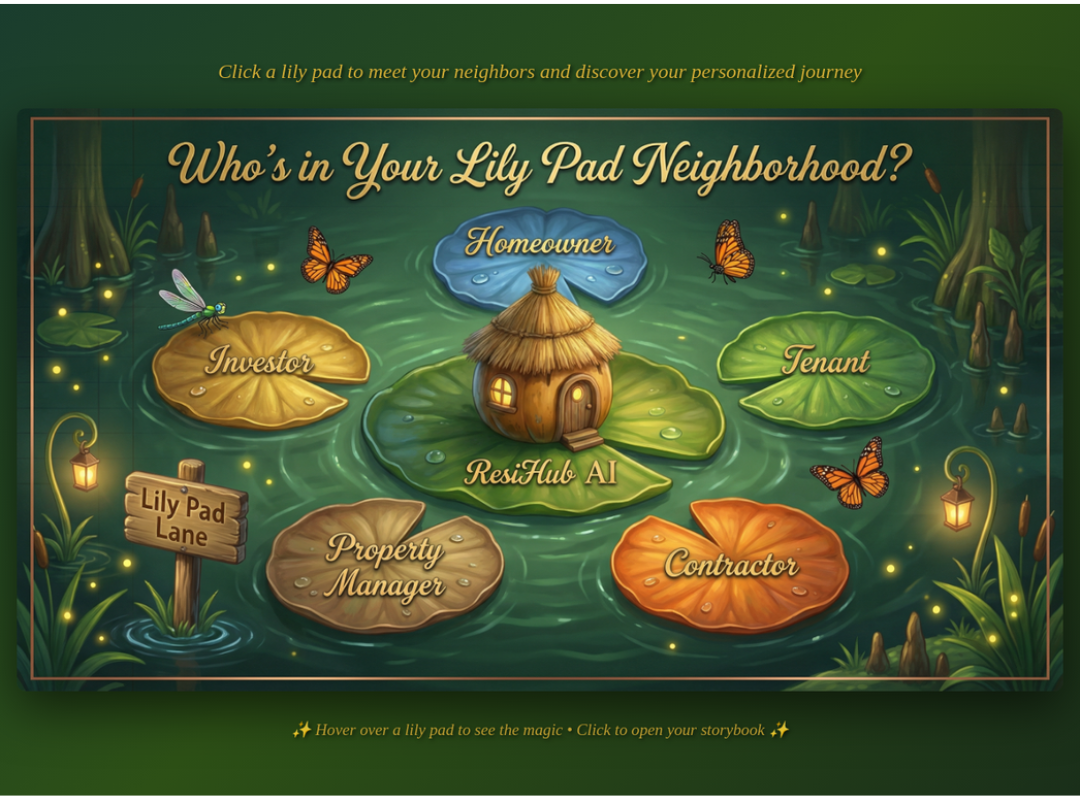
Click a lily pad to start your personalized journey through ResiHub AI
A 30-day no-obligation trial covers all users. Plan prices are on Tell Resi.
Platform memberships and ResiHubAI tokens are purchased through Stripe Checkout on Tell Resi. They are not an OSCO token. A contractor creates the invoice, the customer pays that contractor by their own method, and the contractor records it with Mark Paid. ResiHubAI does not collect that repair payment.
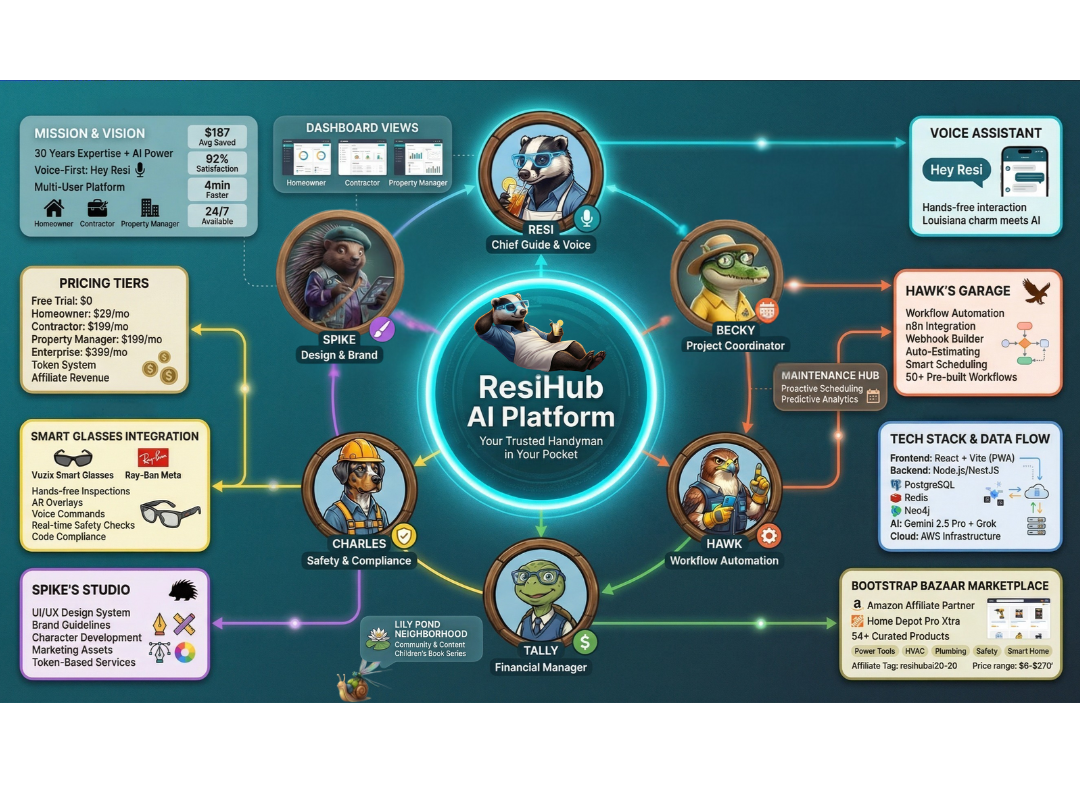
They are coordinated specialists with their own work, not one chatbot wearing different names. Personality adds warmth. The value is the work each one does.

She stays with you while the work is diagnosed, recorded, and handed to the person who owns the next step.

Safety and code stay with him, and with the person responsible for the property.
Each one belongs to a specialist or to the property record.
Resi
Describe the problem. Resi walks the next check with you and keeps that conversation on the property record.
Lily Pad
When the job needs someone nearby, Lily Pad shows local people and availability. It does not rank a contractor directory.
Property manager
Fires, approvals, turns, and vendors for the properties they hold. Not a contractor dashboard with a tenant list.
The property
Requests, jobs, estimates, and invoices stay on the record, so the next visit is not a blank chat.
Resi and Charles
Talk to Resi. Charles handles safety and code. They are not the same character.
Purch
Fit comes first. The marketplace hands the part off to a supplier. Purch does not buy it for you.

Homeowner, tenant, property manager, contractor, and investor each open their own surface.
Role: Homeowner / Tenant
Diagnose, record on the hub, do it yourself, or request a pro. A tenant request goes to the property manager to approve.

Role: Contractor
Jobs, estimates, invoices, and dispatch. One stall in the market, not the whole product.

Role: Property manager
Fires, approvals, turns, and vendors. Not a contractor dashboard with a tenant list.

Role: Investor
Pitch and truth surfaces. Not a maintenance operations shell.

These are coordinated specialized agents. Each one keeps a job, with its own tools and handoff. Resi hosts the conversation and brings the right specialist in. She does not pretend to be all of them. Personality adds warmth. The value is the work.
Home-services guide
The Honey Badger on the front line. She diagnoses with you, opens the right room, and stays while the specialist does their own work.
Inspector & Code Expert
The Louisiana Catahoula. He checks safety and building code. He is not Resi. A safety stop stays with him and with the person responsible for the property.

Operations
Becky watches the work and steps in when a specialist is stuck or you ask her to manage it. She does not take the job first.

Invoices and money documents
Tally owns estimates, invoices, and the books. She does not collect the contractor's customer payment.

Workflows and marketing ops
Hawk runs campaigns, automations, and workflow handoffs. He does not replace the contractor on the job.

Brand and studio
Spike owns the look: Bayou Pulse color, type, and studio work. Brand changes go through Spike.

Parts, Materials & Fit
The wise tawny owl. Fit first. Price second. Finds what actually matches the job — and does not buy it for you.

Orchestrator
Keeps multi-step work on one thread so specialists hand off without dropping the task.

Network & Outreach
Authorized outside asks — suppliers, partners, replies — so answers come back to the same job, not a new chat.


Grace is the trust approach behind the work. It is not another chatbot, and it is not a certified safety seal.
These are the intended principles. The product keeps human approval on consequential steps and writes actions onto the job record. That is not an outside certification, and it is not a promise that every answer is correct.
ResiHubAI is an AI-powered home maintenance and property coordination ecosystem connecting homeowners, tenants, property managers, contractors, families, and neighborhoods through intelligent assistance and persistent work records.
Homeowners, tenants, property managers, contractors, families, and neighborhoods. Each role has its own dashboard. Signup starts at Tell Resi.
A chatbot ends at the reply. ResiHubAI keeps the request, the property, and the work products connected. Specialized agents do their own jobs. Resi hosts the conversation.
Resi, the Honey Badger, is the frontline guide. Charles, the Louisiana Catahoula, handles safety and code. Tally handles estimates and invoices. Hawk handles workflow and marketing operations. Spike handles brand and studio. Becky steps in when a specialist is stuck or you ask her to manage the work. She does not take the job first. They are coordinated agents, not one model pretending to be several people.
Lily Pad Neighborhood is the local layer around a home: the household, the neighborhood, and the residents, property managers, and service providers connected to that place. The live surface is a local map beside the maintenance request. It is not only a contractor search. This site does not publish community participation counts.
Grace AI is the trust approach: responsible conduct, human authorization, respectful treatment, honesty about uncertainty, safety boundaries with escalation, and a record of actions. It is a design and operating philosophy, not an external certification.
The maintenance request, job, estimate, and invoice stay on the property record so the next visit is not a blank chat. That record belongs to the signed-in subscriber. It is not a public directory of someone else's home.
A tenant describes the problem. The property manager approves, asks for more information, or declines. The approved request stays linked on the maintenance hub. ResiHubAI does not auto-deny housing.
The contractor writes the estimate and the invoice in ResiHubAI. Tally handles those money documents. The customer pays the contractor by their own method. The contractor records the payment with Mark Paid.
A 30-day no-obligation trial covers all users. Plan prices are on Tell Resi. ResiHubAI subscriptions and ResiHubAI tokens are purchased through Stripe Checkout. Tokens are ResiHubAI platform tokens. They are not an OSCO token.
No. ResiHubAI does not collect or settle the payment a customer owes a contractor for a repair. It keeps the job and invoice record. The contractor marks the invoice paid after they have been paid.
OSCO means Center-Out Operating System. It is a separate methodology and product family. ResiHubAI is the home-services ecosystem. Revelation is a separate Chrome extension that puts Resi inside a Poppy board. It is not the homepage product. Poppy AI does not sponsor it.
Revelation puts Resi right inside your Poppy board: a step-by-step guide, answers when you hit a wall, and help that remembers where you left off. $29 one time, and it's yours to keep. Includes 30 days of connected ResiHubAI Homeowner.
No refund. Revelation is $29 one time and is not refundable. Your Revelation license does not expire if you choose not to continue ResiHubAI membership. Terms · Privacy
Revelation is an independent product by ResiHubAI and is not affiliated with, sponsored by, or endorsed by Poppy AI.
Have a question or need help? Our team is here for you.
Free hand-fill checklists or Resi-guided AI inspections — wired to estimates, marketplace, and Maintenance Hub

Document condition at move-out — protect deposits and owners.
Voice-guided room-by-room inspection with photos, report, estimate, and hub wiring. Subscribers included; non-subscribers use tokens.
Delta vs move-in baseline, damage flags, and full ecosystem spine on complete.
Inspection engine by Resi + Charles · Reports connect to Tally estimates & Maintenance Hub